When someone visits your website, what do you hope happens? Maybe you want them to learn about your business, sign up for an event, find your church's service times, or discover a ministry that could help them. Whatever your goal happens to be, you're probably hoping people can find the information they need without getting frustrated or running into unnecessary obstacles.
But what if someone reaches your website and can't use the navigation menu? What if they want to watch your latest sermon but can't hear the audio? What if the text is so difficult to read that they leave before learning anything about your organization? These aren't unusual situations, and they're some of the reasons accessibility deserves a place in every conversation about modern web development.

What Is Web Accessibility?
Web accessibility is the practice of designing, building, and maintaining websites so people with a wide range of abilities can access their content and use their features. This includes people with permanent disabilities, people experiencing temporary limitations, and people dealing with situations that make certain ways of using a website difficult.
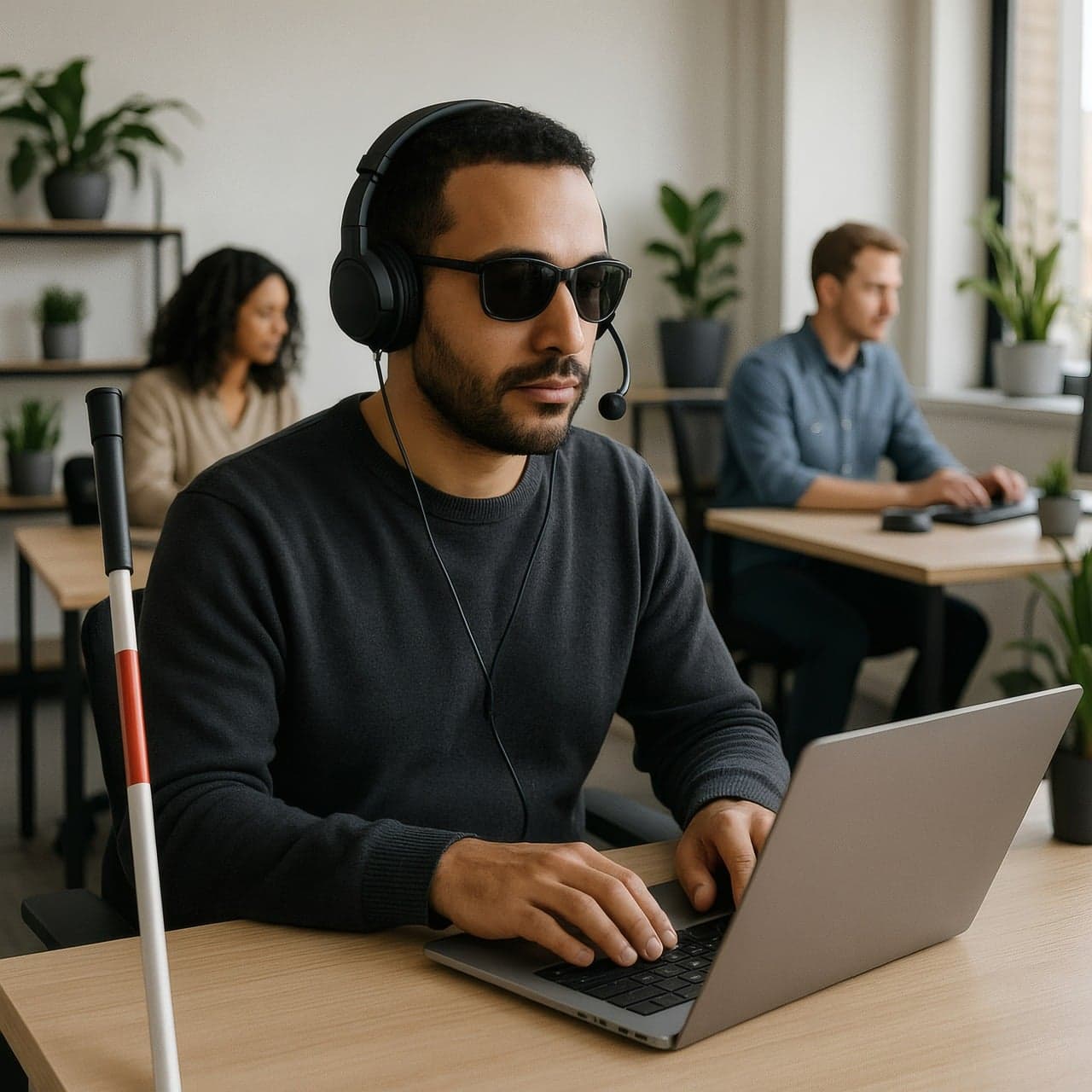
For example, someone who is blind might use a screen reader to hear the content on a webpage. Someone with limited hand mobility might navigate using a keyboard, voice commands, or another assistive device. Someone who is deaf or hard of hearing might depend on captions to understand a video. Someone with a cognitive disability might need clear instructions, predictable navigation, and content that isn't unnecessarily complicated.
Accessibility also helps people in everyday situations. Captions are helpful when you're watching a video somewhere noisy, readable text matters when you're outdoors in bright sunlight, and larger buttons are easier to tap when you're using your phone with one hand. The World Wide Web Consortium's accessibility guidance explains how accessible technology can benefit people across many different circumstances.

In other words, accessibility isn't about creating a separate website for certain visitors. It's about making the website you already have more usable for everyone.
A Beautiful Website Can Still Be Difficult to Use
Modern web development gives us plenty of opportunities to create impressive experiences. We can add animations, interactive menus, video backgrounds, custom forms, and visually interesting layouts. Those features can make a website more engaging, but they can also introduce barriers when accessibility isn't considered during development.
Imagine a church website with a beautiful homepage and an animated menu that opens only when someone moves a mouse over it. A visitor who navigates by keyboard might be unable to reach the service times or directions. The website looks polished, yet an important part of it is effectively closed to that visitor.
Or consider a ministry's donation page with light gray text on a white background. The design might look clean and modern, but someone with low vision could struggle to read the instructions. If the donation form also has unlabeled fields, a screen reader user may have no reliable way to tell what information belongs in each box.
Accessibility Helps You Serve More People
One of the most important reasons to prioritize accessibility is simple: people shouldn't have to overcome avoidable barriers just to interact with your organization online.

For a business, accessibility could help someone review your services, contact your team, or complete a purchase. For a nonprofit, it could make the difference between someone successfully finding assistance and leaving without the information they came for. For a church, it might determine whether a visitor can find the address, understand what to expect on Sunday, or register for an upcoming event.
Accessibility makes your content more welcoming in a practical sense. Rather than simply telling people they're welcome, you're putting thought into whether they can actually participate.
Why Accessibility Especially Matters for Churches and Ministries
For churches and Christian ministries, accessibility should be about more than following a development checklist. Our websites often serve as an introduction to our organizations, and sometimes they're the first place someone encounters the resources, community, or message we're hoping to share.
Think about a person who wants to learn more about Jesus and discovers a ministry's website through a search engine. Perhaps they want to read an article explaining the Gospel, listen to a sermon, or find a church near them. If the text isn't readable, the video doesn't have captions, or the website can't be navigated with assistive technology, they may have trouble accessing material that was created specifically to help people.
That should matter to us. As Christians, we're called to love and serve our neighbors, and that calling shouldn't disappear when the place we're serving them happens to be a website. We can't control whether someone chooses to visit a church or engage with a ministry, but we can make a thoughtful effort not to put unnecessary technical obstacles in their way.
Accessibility also matters for existing members and supporters. Someone in your congregation may need a larger text size to read announcements, captions to follow a recorded sermon, or a keyboard-accessible form to register for a Bible study. Making those experiences easier is another way of caring for people who are already part of your community.

Accessible Design Often Makes Websites Better for Everyone
Some accessibility improvements directly support people with particular disabilities, while also making the website easier to use for many other visitors. Clear headings help a screen reader user understand a page's structure, but they also help someone quickly scan an article. Descriptive links are useful when links are announced out of context, but they also tell everyone where a link will take them.
Good contrast makes text easier to read for someone with low vision, but it can also help someone looking at a phone in bright daylight. Forms with visible labels and helpful error messages assist people using screen readers, while making the form less confusing for anyone who's filling it out.
When accessibility is part of your design process, you often end up with a website that's clearer, more predictable, and less frustrating for a much wider audience.
Accessibility and SEO Can Support Each Other
Search engine optimization, or SEO, focuses on helping search engines understand your website and connect its pages with relevant searches. Accessibility has a different primary goal: making your website usable by people with different needs. However, some of the practices that support accessibility can also help create a better-organized website for visitors and search engines.
For example, meaningful headings make content easier to understand, descriptive links provide context, and text alternatives help convey the purpose of important images. Clear page structure and well-written content are valuable regardless of whether someone arrives through Google, a social media post, or a direct link.
That doesn't mean making your website accessible will automatically improve your Google rankings, and it certainly isn't a shortcut to the first page of search results. Accessibility and SEO are worth investing in because they help your website communicate more effectively, even though their goals and evaluation methods aren't identical.
What Does an Accessible Website Actually Look Like?
You don't have to know every technical accessibility requirement to recognize several of the things that make a website easier to use. Here are some of the most practical areas to pay attention to when building or improving a website:
- Clear, organized headings: Pages should have headings that describe their sections and follow a logical structure, making it easier for visitors and assistive technologies to understand how the information is organized. li style='list-style: disc;'>Keyboard-friendly navigation: Visitors should be able to reach menus, links, buttons, and forms without using a mouse, and it should be clear which element currently has keyboard focus.li style='list-style: disc;'>Readable text and sufficient contrast: Text needs to stand out from its background, and the layout should still work when someone zooms in or increases their text size.li style='list-style: disc;'>Helpful image descriptions: Meaningful images should have text alternatives that explain their purpose, while purely decorative images generally shouldn't create unnecessary announcements for screen reader users.li style='list-style: disc;'>Captions and transcripts: Videos containing speech should have accurate captions, and transcripts can make audio content such as sermons or interviews easier to access in different ways.li style='list-style: disc;'>Properly labeled forms: Contact, donation, registration, and newsletter forms should identify their fields clearly and explain how to correct mistakes when something goes wrong.li style='list-style: disc;'>Descriptive links and buttons: A link that says where it leads is more useful than a page full of vague invitations such as "click here" without any surrounding context.li style='list-style: disc;'>Predictable interactions: Menus, popups, moving content, and other interactive features should behave consistently and shouldn't trap people or make it difficult to complete a task./ul>
Accessibility Should Be Part of Development From the Beginning
It's possible to improve the accessibility of a website after it's launched, but addressing accessibility from the beginning can save significant effort later. A developer who chooses appropriate HTML elements, plans keyboard interactions, and builds accessible forms early is less likely to have to rebuild those features after people discover they can't use them.
Content creators have a role here, too. Even a technically well-built website can become harder to use if an editor uploads an image without appropriate alternative text, publishes a video without captions, or uses headings only because they look a certain way. Accessibility needs to be considered whenever a website grows or changes.
What About Accessibility Standards and Legal Requirements?
Fortunately, web developers don't have to invent their own accessibility rules. The Web Content Accessibility Guidelines (WCAG), developed through the World Wide Webonsortium, provide internationally recognized guidance for making web content more accessible. WCAG 2.2 organizes accessibility around four principles: content should be perceivable, operable, understandable, and robust enough to work with a variety of technologies.

Accessibility can also involve legal responsibilities, depending on the organization, the services it provides, and the laws that apply to it. In the United States, for example, the Americans with Disabilities Act includes accessibility obligations in certain contexts, and the Department of Justice has adopted specific web accessibility requirements for state and local governments. Those rules shouldn't be assumed to apply in exactly the same way to every private business, nonprofit, or religious organization, so questions about legal compliance should be considered in their proper context. You can learn more from the U.S. Department of Justice's web accessibility resources.
Regardless of which legal requirements apply to your organization, following established accessibility guidance is a responsible way to build a more useful and welcoming website. It's also worth remembering that meeting a technical checklist doesn't necessarily mean every visitor will have a perfect experience.
How Do You Know Whether Your Website Is Accessible?
One of the easiest places to start is by testing your website in ways you don't normally use it. Put your mouse aside and try navigating with the Tab key. Can you reach everything important? Can you tell where you are on the page? Can you open and close the navigation menu and complete a form without getting stuck?
Next, enlarge the text or zoom in on the page and see whether anything becomes difficult to read or disappears off the screen. Watch a video with the sound turned off to check whether its captions communicate what's being said. If you have access to a screen reader, try navigating the main headings, links, and forms to better understand how your website is presented.
Automated accessibility scanners can be useful for catching some issues, such as certain contrast problems or missing labels, but they can't determine whether an entire website is truly accessible. The W3C's guidance on accessibility evaluation tools recommends combining tools with human judgment because many problems require manual testing.
When possible, feedback from people who actually use assistive technologies is particularly valuable. Their experiences can uncover frustrating problems that a developer might never notice while testing with a mouse and a typical desktop setup.

Accessibility Is an Ongoing Commitment
A website doesn't stay the same forever. New events get posted, staff members change, forms get updated, and videos and articles are added over time. Every one of those updates creates an opportunity to make the website more useful, but it can also introduce a new accessibility problem.
That's why accessibility works best as an ongoing habit rather than a box you check immediately before launching a website. Periodically reviewing important pages, testing new features, and giving the people who maintain your website a few clear guidelines can go a long way toward preventing avoidable barriers.
Final Thoughts
Modern web development gives us the ability to reach people far beyond our immediate communities, but that reach matters less when the people who arrive can't use what we've built. Accessibility helps close that gap by encouraging us to think beyond appearances and consider the actual experience of every visitor.
For churches, Christian organizations, ministries, nonprofits, and businesses, that means creating websites where people can find information, take meaningful actions, and connect with your organization without unnecessary barriers. It's good development practice, but it's also a practical way of showing consideration for the people you're trying to serve.
At Agape Digital, our goal is to use technology to serve others and support the advancement of God's Kingdom. Building websites with accessibility in mind fits naturally into that mission, because serving people well includes making an effort to ensure they can access the information and resources we put online.
A website doesn't need to be complicated to be effective. It needs to work for the people who come to it, and accessibility is an important part of making that happen.